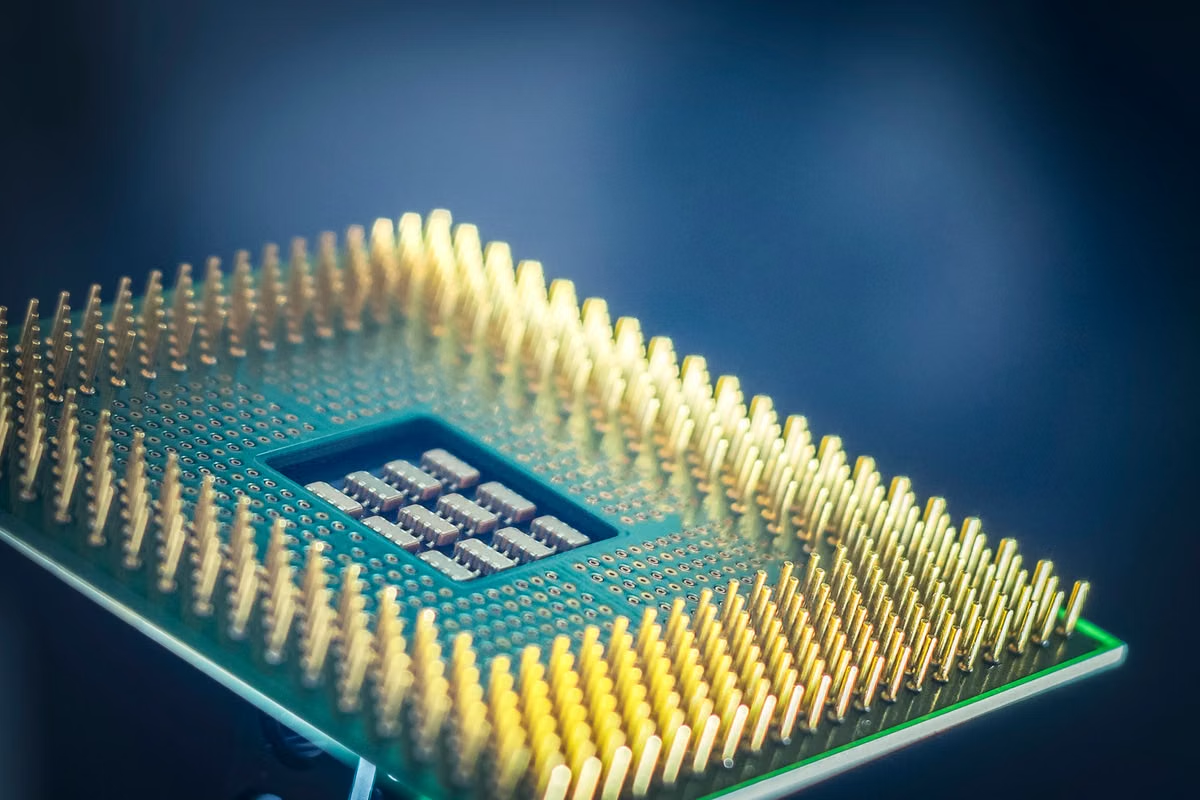
Microsoft BitNet’s low-bit models and dedicated inference implementation can lower the resource barrier for some CPU workloads, but they do not make every model, processor, or task run well. Use a CPU only after checking the official model and kernel support, available memory, output quality, and response time; include cloud inference in the decision when you need dependable throughput or concurrent access.
Before installing: verify the model and your processor against the current official support information.
During evaluation: measure memory, answer quality, and response time on your own task.
This week’s move: run a small, repeatable test before committing your team to a local deployment.
This guide is for developers who want to try local inference without a discrete GPU.
It also helps researchers evaluating low-bit models on edge devices or experimental systems.
Small teams comparing CPU deployment with remote inference can use the decision criteria below.
Start with what BitNet changes—and what it does not
BitNet is a model architecture built around low-bit weights. The b1.58 approach uses ternary weight values: −1, 0, and +1. The technical report explains the method and its intended benefits, but a low-bit representation is not a promise that the complete application uses a fixed amount of memory or responds at a particular speed. See the BitNet b1.58 technical report for the method and its research conditions.
The name “1-bit” is commonly used as shorthand, but the b1.58 research describes ternary weights. That distinction matters: the weight representation is one part of the inference stack. The model architecture, implementation, supported kernels, context length, and application overhead also affect what you experience.
| What you are comparing | What BitNet changes | What you still need to verify |
|---|---|---|
| Weight representation | The b1.58 method represents weights with three values: −1, 0, and +1, as described in the technical report. | Whether the model you want is supported by the official implementation. |
| Model file | A low-bit model can reduce weight storage compared with a higher-precision representation. | Runtime memory also depends on the implementation, context, and surrounding software. |
| Inference | A dedicated implementation can use kernels designed for this type of model. | Whether your processor and build can use the supported kernels, and whether the resulting latency fits your task. |
| Answer quality | The model may be suitable for some workloads. | Whether its answers meet your own accuracy and usability requirements. |
BitNet can therefore be worth testing on a CPU, especially when your workload is occasional or experimental. But a small-looking model file is not a deployment plan. Treat the file size as one input, not as a guarantee of system requirements.
Check the supported model and kernel before choosing hardware
Start with the official BitNet repository’s model support information. Confirm the exact model identifier, the documented inference path, and the kernel or implementation requirements for that model. A model that uses the BitNet name is not automatically compatible with the repository’s inference code.
The official model card identifies BitNet-b1.58-2B-4T; its name describes a model with 2 billion parameters trained on 4 trillion tokens. Those figures identify the published model, not a universal recommendation for minimum RAM or a prediction of your machine’s speed. Check the Microsoft model card and repository instructions before downloading or adapting a model.
| Support check | Evidence to record | Why it affects your choice |
|---|---|---|
| Model | Exact model name and the repository’s stated support status | An arbitrary model file may not use the required format or implementation. |
| Kernel | The documented kernel or inference path for that model | A supported model can still fail or run differently if the intended kernel is unavailable. |
| Processor | Architecture and instruction support listed by the project | “Regular CPU” covers hardware with materially different capabilities. |
| Software | Repository revision, dependencies, and build configuration | Results from one setup may not transfer to another. |
Keep a record of the repository revision and model version you tested. If the support table or installation instructions change, repeat the check before using the setup in production. Media summaries or reports of other systems can provide context, but they do not replace the project’s own support list.
Estimate memory from the full workload, not just the file
A model file’s size tells you how much storage the file occupies. It does not, by itself, tell you how much free memory inference needs. During a run, the program may also need memory for runtime structures, the active context, temporary work, and the operating system. The required amount depends on the model and the specific software path.
Avoid turning a parameter count or a weight-bit figure into a guaranteed RAM threshold. The official model card and repository can establish which model and path are documented; they do not make every user’s context length, background services, or application overhead identical.
| Resource item | What to check on your machine | Common planning mistake |
|---|---|---|
| Model file | File size and available disk space before download | Treating disk space as proof there is enough working memory |
| Runtime | Memory use while the model loads and generates | Assuming the idle system’s free memory remains available |
| Context | Memory behavior at the prompt size you actually plan to use | Testing a short prompt, then deploying long documents without retesting |
| Other software | Memory available after normal services and applications are running | Measuring only on a clean system that does not match daily use |
For a fair assessment, monitor system memory while loading the model and while generating a representative response. Repeat the test with the longest prompt you expect to handle. If the machine starts swapping heavily, fails to load, or becomes unusable for other work, the file-size estimate was not enough.
Keep storage and working memory separate in your notes. A model can fit on disk and still exceed the memory budget of the intended workload.
Check CPU and build compatibility separately
A failed build, an unsupported instruction set, and slow generation are different problems. A compiler error usually points to the environment or dependency setup. An instruction-set issue points to processor or build compatibility. A successful build that responds too slowly is a performance-fit problem. Changing the model or hardware will not necessarily fix all three.
Use the official installation instructions and inspect the project’s environment setup script for current dependencies and build steps. Record your operating system, processor architecture, compiler, dependency versions, and build options. Do not rely on a generic claim that BitNet runs on “any CPU”; the official project documentation defines the support you should validate.
A practical setup check looks like this:
- Identify your processor architecture and confirm it against the repository’s current requirements.
- Install only the dependencies documented for the selected build path.
- Follow the official setup instructions, and save the full build output.
- Confirm that the target model is listed as supported for that path.
- Run the documented inference example before testing your own application.
- If compilation fails, resolve the build or dependency issue before drawing conclusions about speed.
- If the program builds but generation is slow, benchmark it as a separate performance question.
This is also where version differences matter. A test made with an older repository revision may not reflect the current installation requirements or kernel support. Record the revision with your results so you can reproduce the environment later.
Measure quality and response time on your own task
A benchmark result is meaningful only alongside its test conditions. The early BitNet CPU work describes its own models, machines, and evaluation setup; use the CPU inference research report and the Microsoft Research publication page as evidence about those reported experiments, not as a guarantee for your workstation.
Do not compare a research result on one processor with your own workload as if the conditions were identical. Instead, create a fixed test set that resembles the prompts you expect to use. Keep the model, prompt, context, and generation settings consistent when comparing a local run with another deployment option.
Track at least these measures:
- Load behavior: does the model load reliably, and does memory remain within your usable limit?
- First-token delay: how long do you wait before the response begins?
- Sustained generation: does output remain responsive over a full answer, or does the wait become impractical?
- Task quality: does the result meet your acceptance criteria without excessive correction?
- Repeatability: do repeated runs produce an acceptable and reasonably consistent experience?
For a small team, response time is not just a benchmark number. A CPU setup that finishes a one-off classification may be unsuitable for interactive coding support. Conversely, a slow response might still be acceptable for a scheduled offline experiment. Define the maximum wait and minimum quality you can tolerate before you compare hardware.
| Workload | CPU candidate | Cloud candidate | Decision signal |
|---|---|---|---|
| Occasional short prompts | Worth testing if the model and kernel are supported | Useful if local setup fails or responses miss your time limit | Choose by measured completion time and answer quality. |
| Repeated interactive use | Test actual first-token delay and sustained generation | Evaluate when users need a consistently responsive experience | Do not rely on a single successful prompt. |
| Long-context work | Test the longest intended prompt while monitoring memory | Consider when the local memory budget or response time fails | The short-prompt result is not sufficient evidence. |
| Multiple users or parallel jobs | Test the real concurrency pattern | Include cloud inference when local throughput cannot meet demand | Decide using the team’s workload and service targets. |
Use this decision path to choose local CPU or cloud inference
Choose local CPU inference when the use case is limited, the model and kernel are documented as supported, and your own tests meet the quality and latency targets. Choose a cloud environment when local response time, memory limits, or concurrent demand fail the criteria you set. Keep the decision tied to the workload rather than to the “1-bit” label.
- If the exact model and its inference path appear in the current official support information, then run the documented example; otherwise, do not assume an arbitrary model file will work.
- If the model loads without exhausting usable memory at your real context length, then continue to task testing; otherwise, reduce the workload or assess another environment.
- If representative answers meet your quality bar and response-time limit, then keep the CPU setup for that workload; otherwise, compare cloud inference or a different supported configuration.
- If only one person runs occasional tasks, then local CPU inference may be a reasonable experiment; if several users need dependable access at the same time, then measure concurrency and include cloud capacity in the comparison.
- If your workload requires long contexts or predictable interactive response, then use measured results to decide whether remote inference is more suitable; do not extrapolate from a short local prompt.
Plan the next test around your actual constraints
The strongest case for BitNet is a workload where lower-bit inference opens a practical experiment that would otherwise be difficult on the available hardware. That is a reason to test it, not a reason to skip compatibility checks. A CPU-only deployment can avoid buying a discrete GPU, but it may shift the cost into long waits, limited concurrency, engineering time, or a quality level that does not fit the task.
A cloud option has its own trade-offs. You must account for remote access, usage costs, data-handling requirements, and dependence on an external service. A local system offers more direct control, but your team owns setup, updates, memory limits, and performance troubleshooting. Compare the options against a workload you can repeat, not against a best-case demo.
If you are evaluating a rented Mac as a temporary test machine, confirm that its processor architecture and the BitNet kernel path you plan to use are supported before renting. A Mac is not automatically the right answer for every CPU build, and it may not suit workloads that need a particular physical interface or sustained, predictable heavy use. You can review VPSSpark’s service overview while checking whether a temporary environment fits your test, then compare available Mac options. If your local CPU already passes the model, memory, quality, and latency checks, there is no need to move the workload simply because BitNet is available.
The next decision should come from your test log: keep the local CPU path when it meets your acceptance criteria, and move to remote compute when measured response time, memory headroom, or concurrency falls short.
Test Your CPU Workloads on a Cloud Mac
Rent a dedicated Mac mini M4 with 16GB or 24GB of unified memory for local inference experiments and development.
Choose a configuration that fits your model and workload, and check software and kernel compatibility before deployment.